Get started · Step 2 / 12
Make an account
Type your email, open the link in your email, and choose a password.
You need an account to download GameTerm. The account is free.
1. Type your email
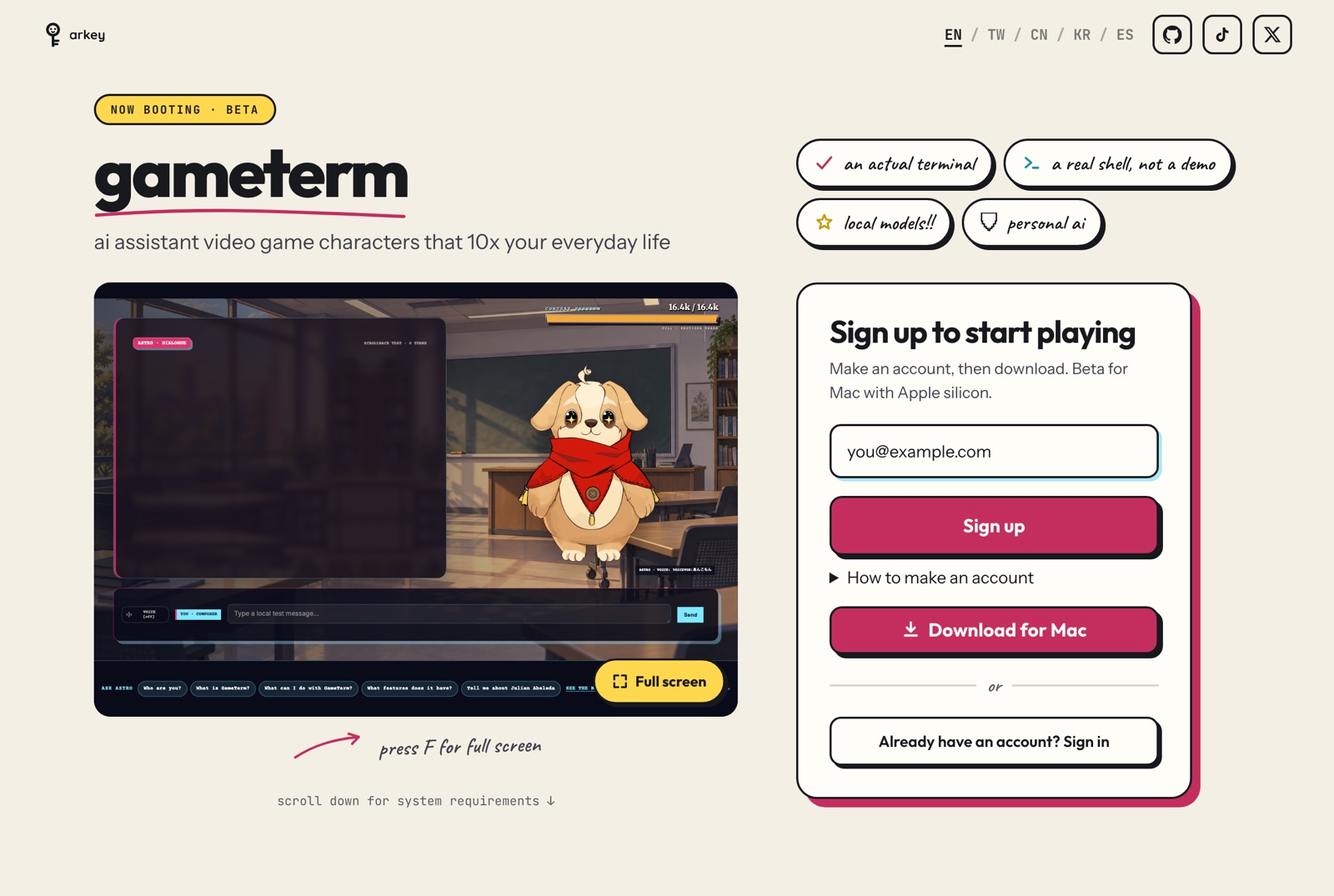
Go to arkey.ai/gameterm. Find the box that says Sign up to start playing. Type your email in the box. Press Sign up.
2. Open the link in your email
The page says: Check your email. Open the link to choose your password.
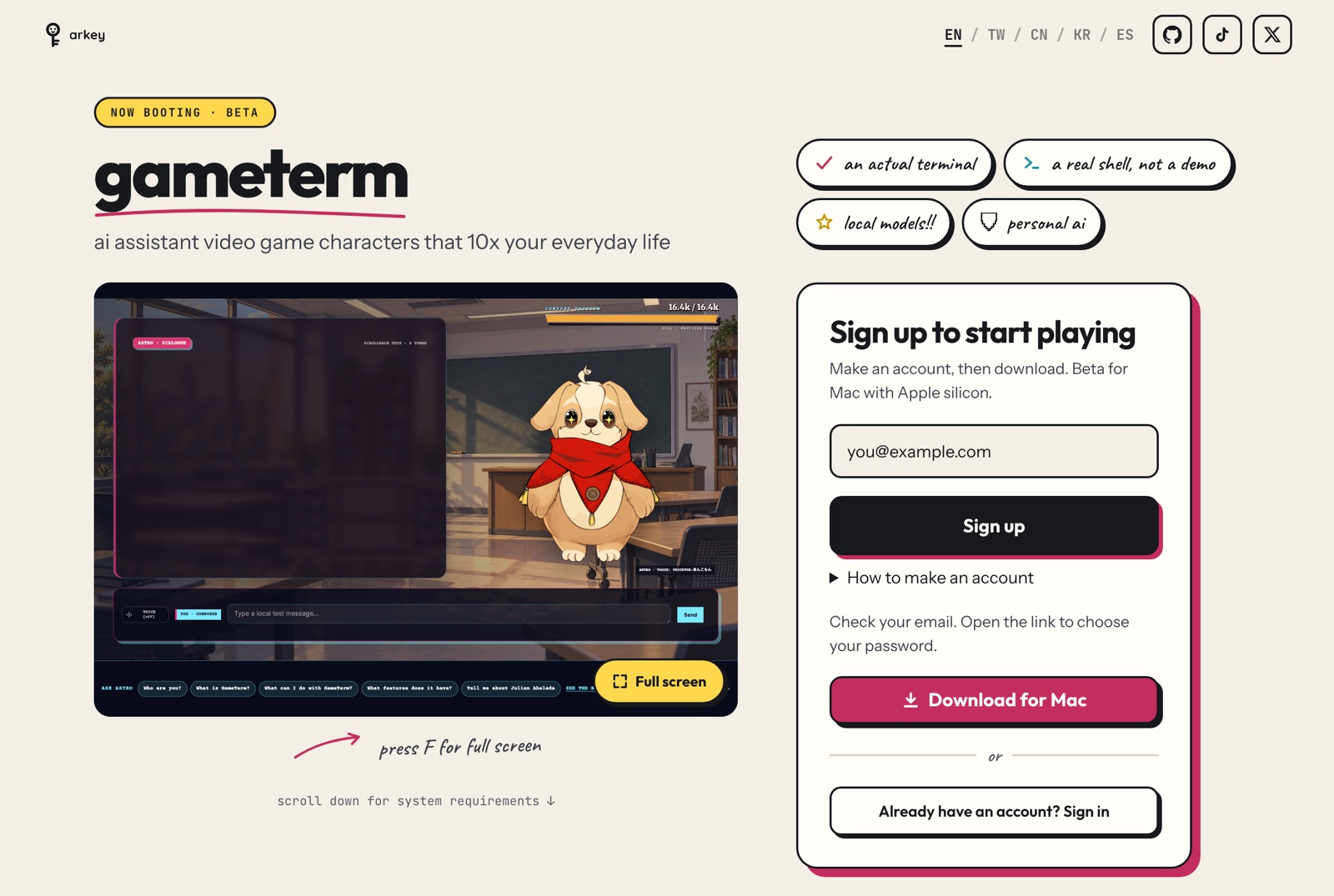
Open your email. Find the email from Arkey. Click the link in it.
3. Choose a password
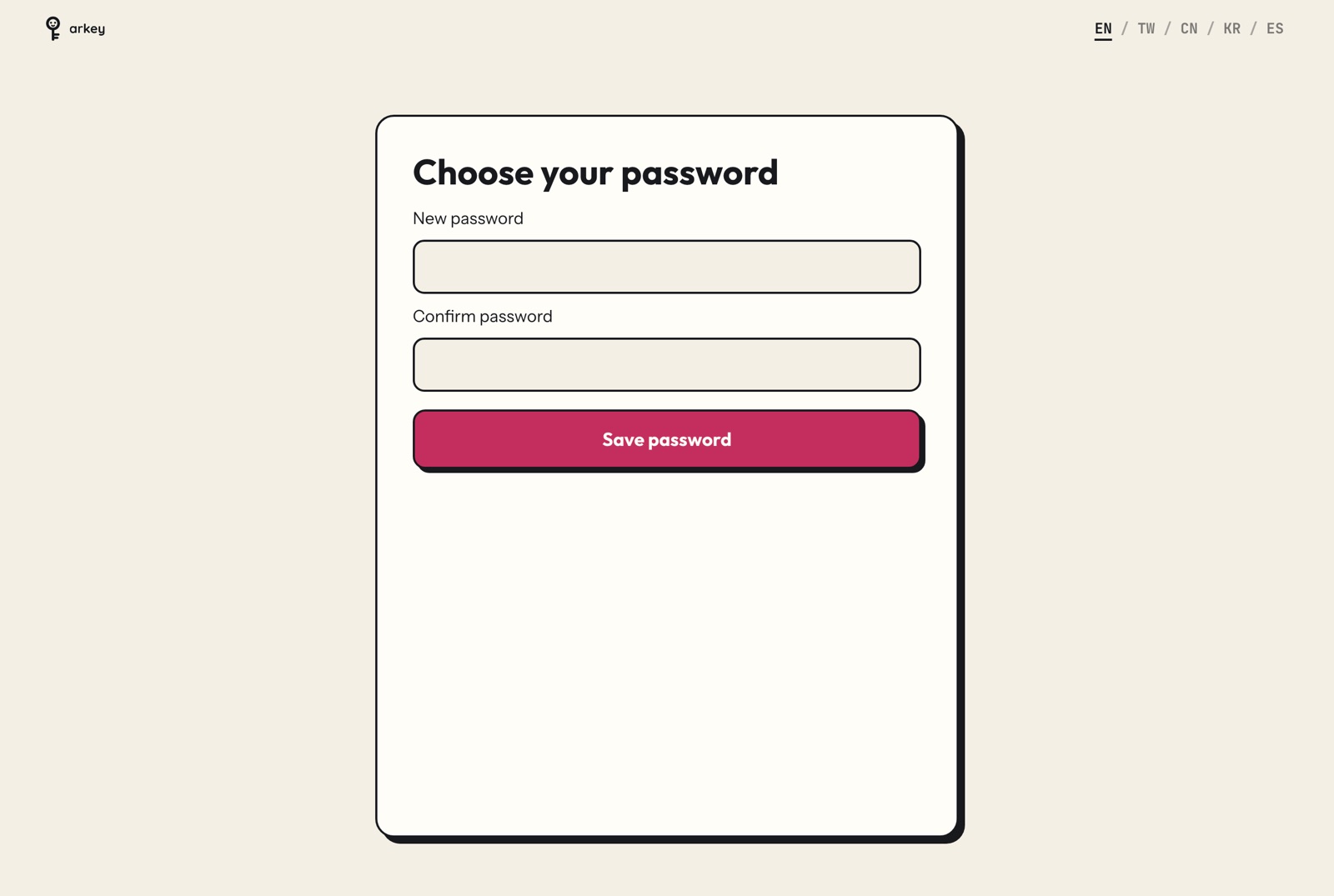
The link opens a page called Choose your password. Type a new password. Type it again in the second box. Press Save password.
4. Your account is ready
Your account page opens. It says Email verified.
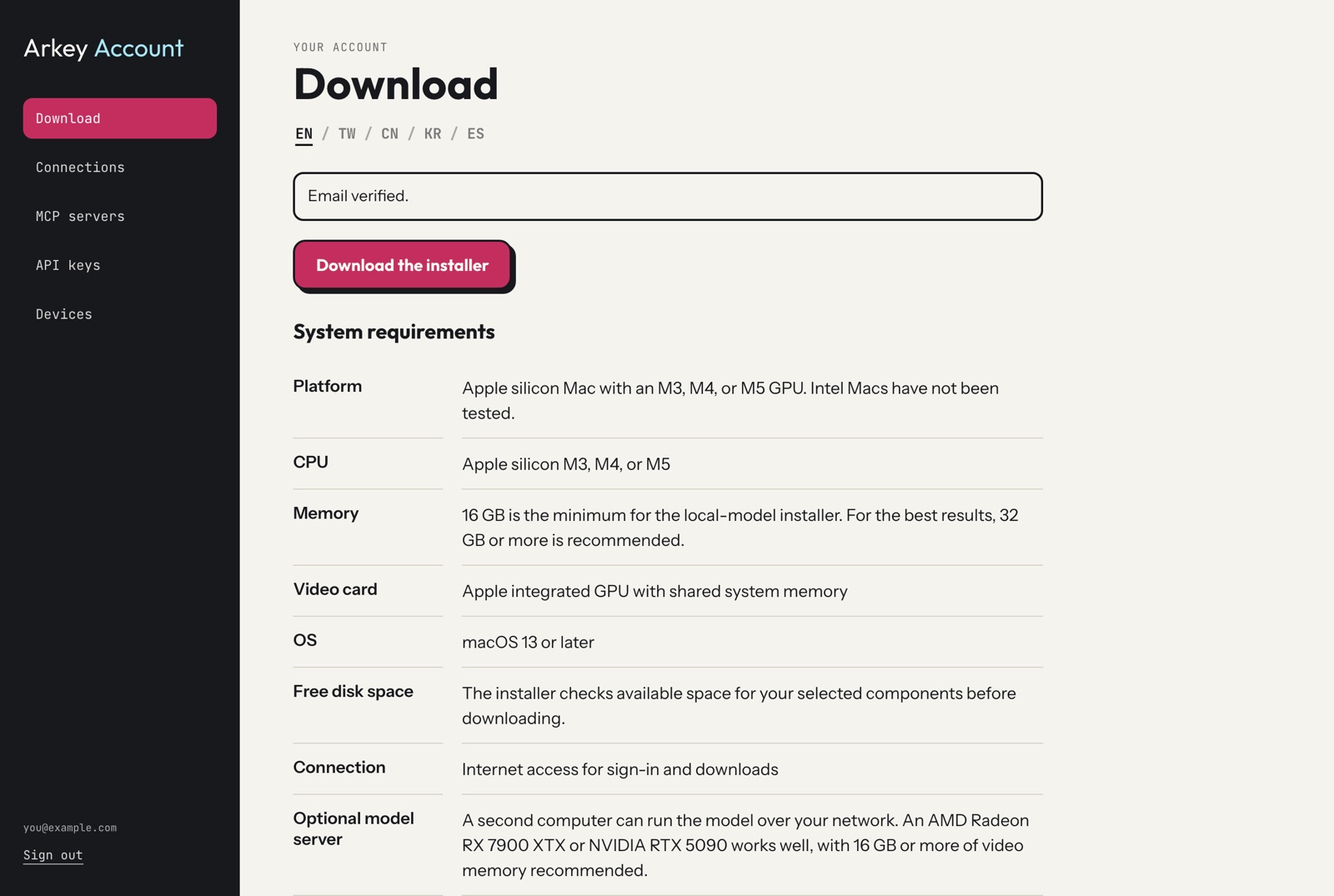
The next step is to download the installer.