Advanced · Step 11 / 12
Mod the harness
Add your own functions that the character can use, and tune how each character talks.
The harness is the set of tools and settings around the AI. You can add to it. You do not need to change GameTerm's code.
Your own functions
Open Settings, then Setup, then the HARNESS tab. It shows your library folder:
~/Library/Application Support/GameTerm/harness/library
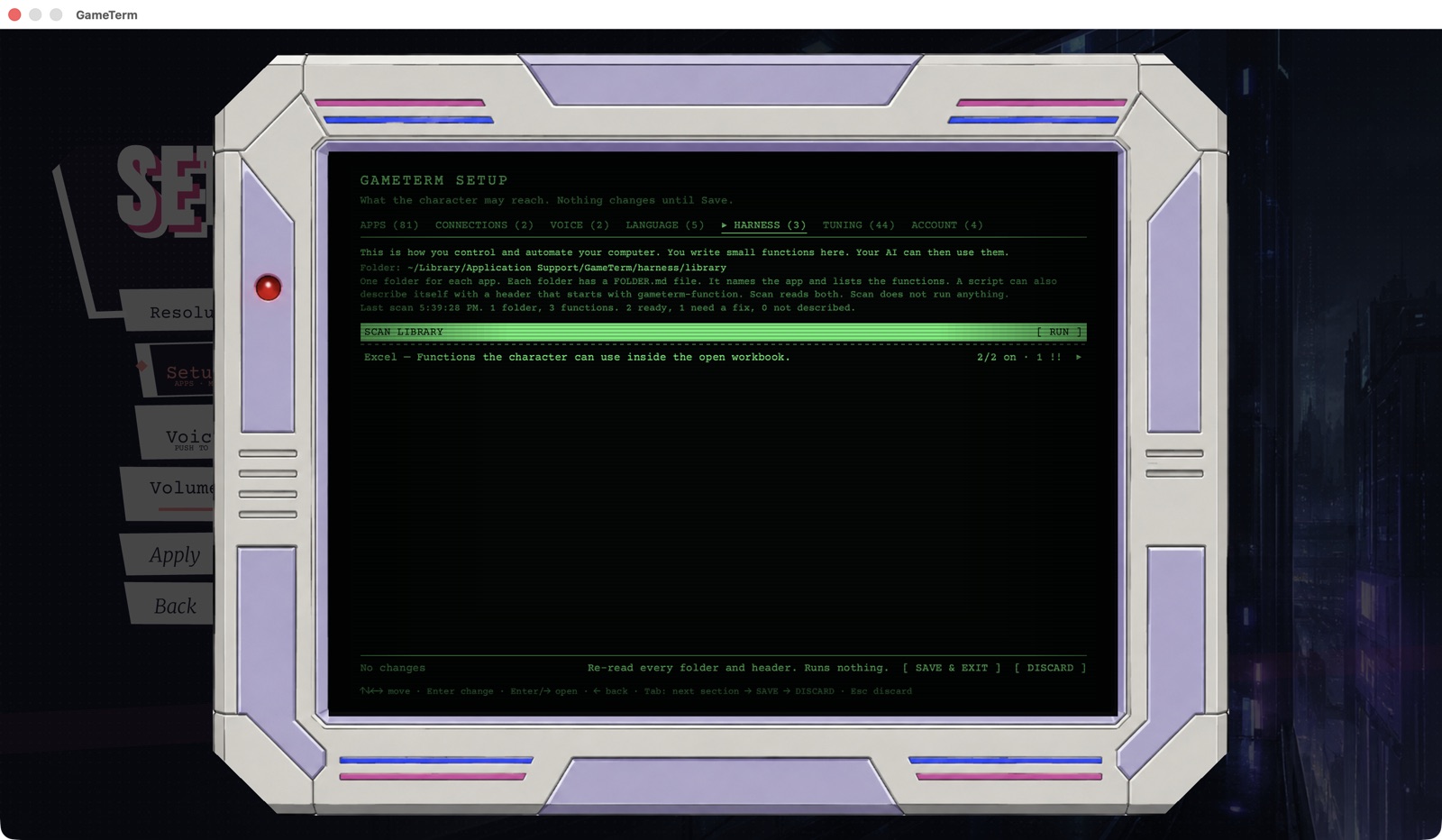
Make one folder for each app. Put your scripts in it. Put a file called FOLDER.md beside them. It names the app and lists each function.
This is part of a real example, for Microsoft Excel:
# Excel
app: Microsoft Excel
Functions the character can use inside the open workbook.

## write_cells
file: write_cells.py
description: Write a block of values into a sheet range.
inputs: sheet:string, range:string, values:list
mutates: true

## read_range
file: read_range.applescript
description: Read a range as a table of rows.
inputs: sheet:string, range:string
Each function has a file, a description and its inputs. Write mutates: true for a function that changes something. A script can also describe itself with a header that starts with gameterm-function.
Press Return on SCAN LIBRARY. The scan reads the folders. It does not run anything.
Check the scan
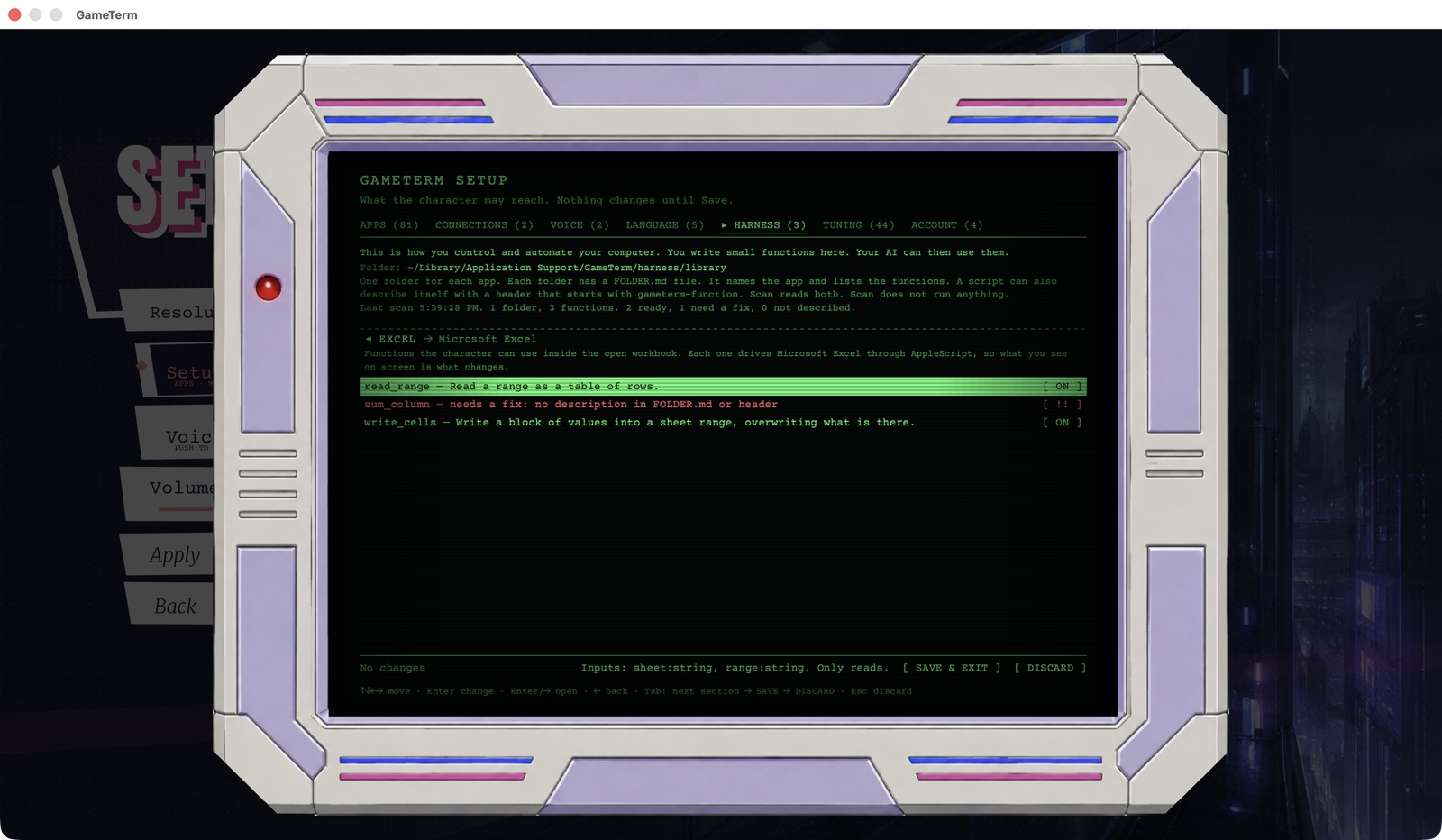
Open a folder in the list. Each function shows ON, OFF or !!. The !! mark means the function needs a fix. The line says what is missing.
Tune a character
The TUNING tab lists each character.

Open a character. It has eleven numbers, such as warmth, directness and temperature. Move to a number. Press Left or Right to change it by 0.05.
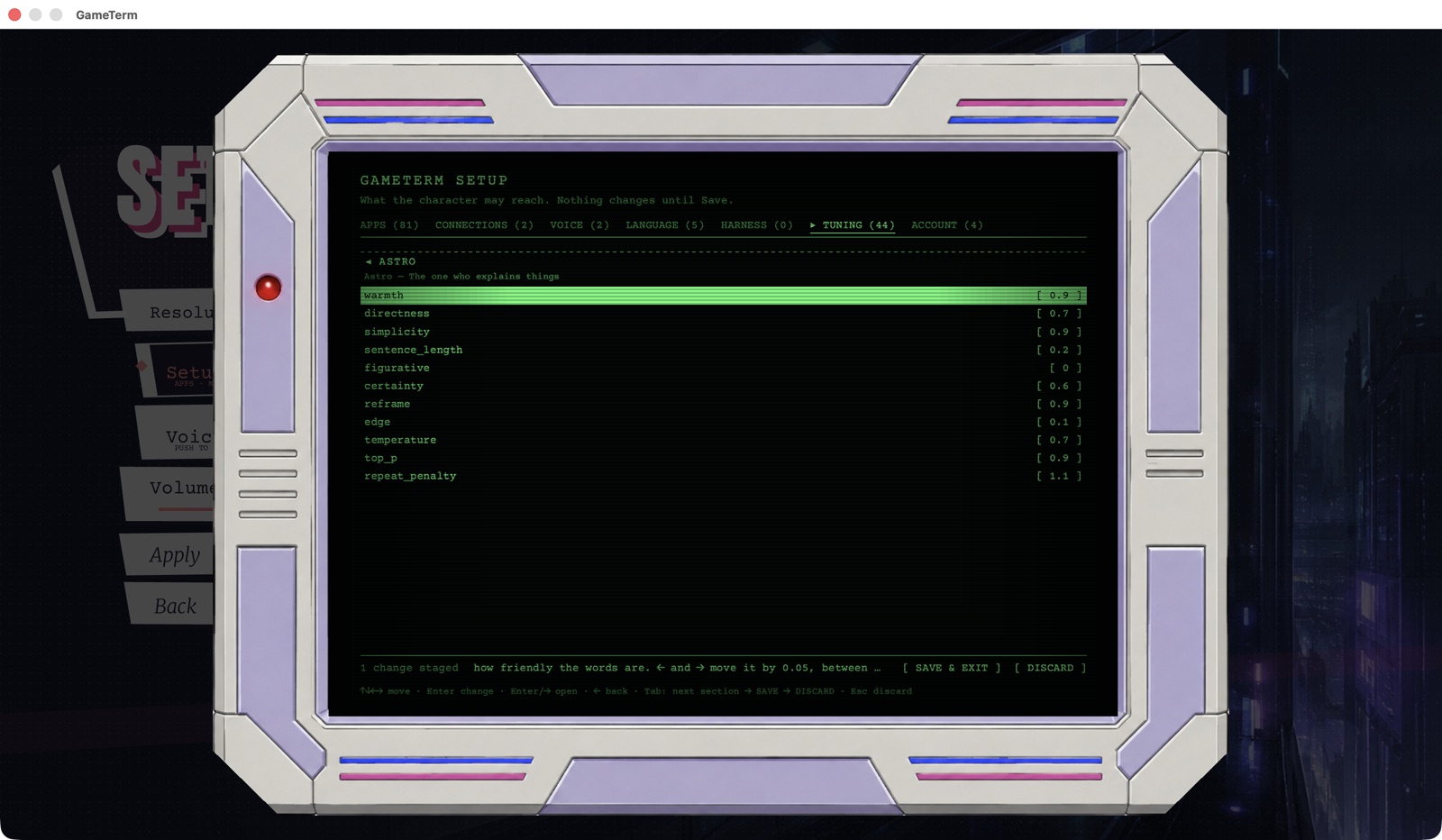
Press SAVE & EXIT to keep your changes.
The next step uses a stronger AI on another computer.