Use GameTerm · Step 10 / 12
Switch the language
GameTerm's Setup sets the language the character speaks. The website has its own language switch.
In GameTerm
Open Settings, then Setup, then the LANGUAGE tab. It has five rows.
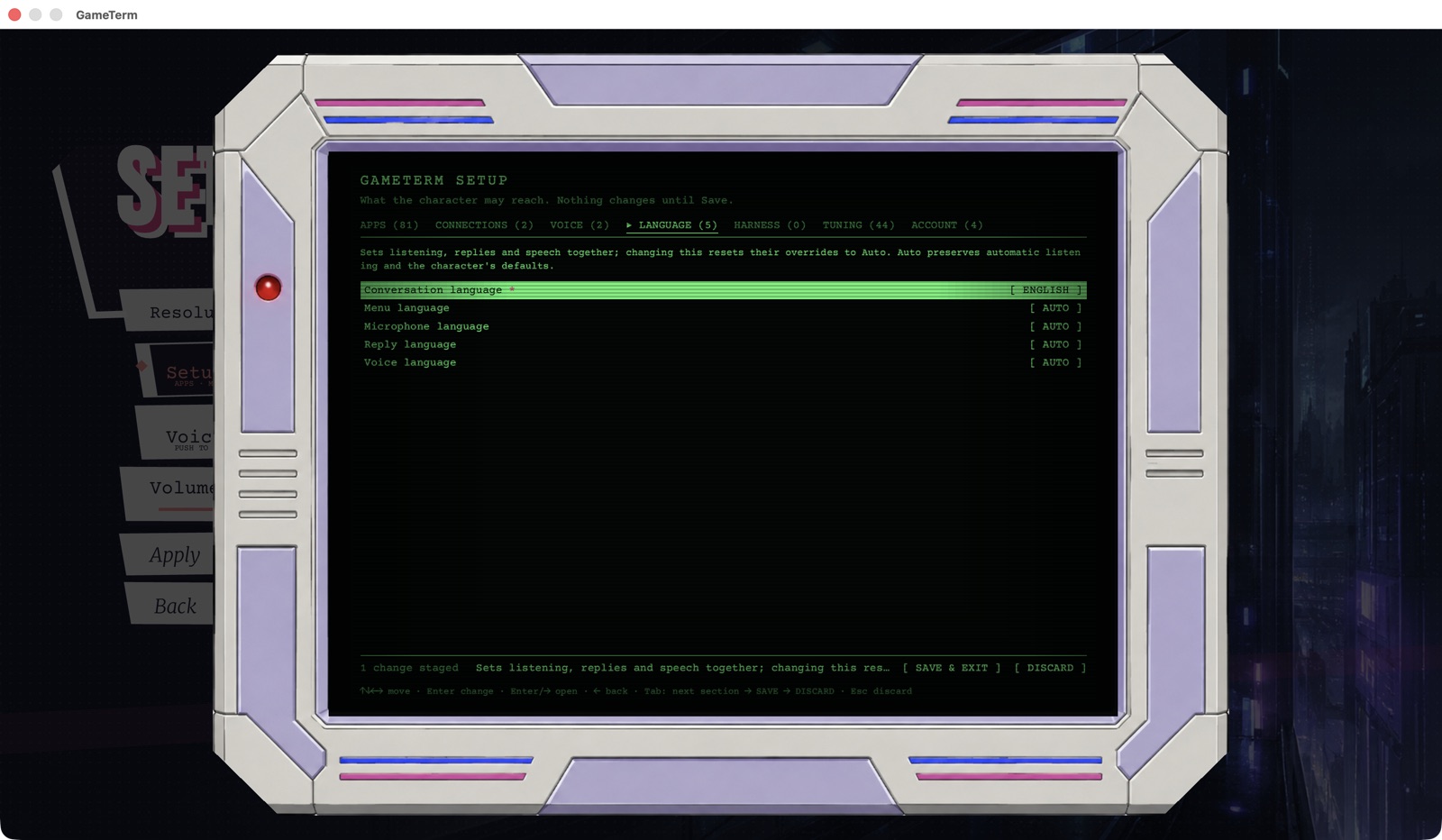
- Conversation language sets listening, replies and speech together. Change this one first.
- Menu language is the language of GameTerm's menus.
- Microphone language is the language you speak.
- Reply language is the language the character writes.
- Voice language is the language the character speaks.
Press Return on a row to change it. Each press moves to the next language. The Conversation language choices are: Auto, English, Spanish, Mandarin (Simplified), Mandarin (Traditional) and Japanese. Auto keeps the character's own settings.
Korean is not in this list. GameTerm cannot talk with you in Korean yet.
Press SAVE & EXIT to keep the change. Press DISCARD to leave it as it was.
On the website
The arkey.ai pages show EN / TW / CN / KR / ES at the top right. Click one to change the website's language.
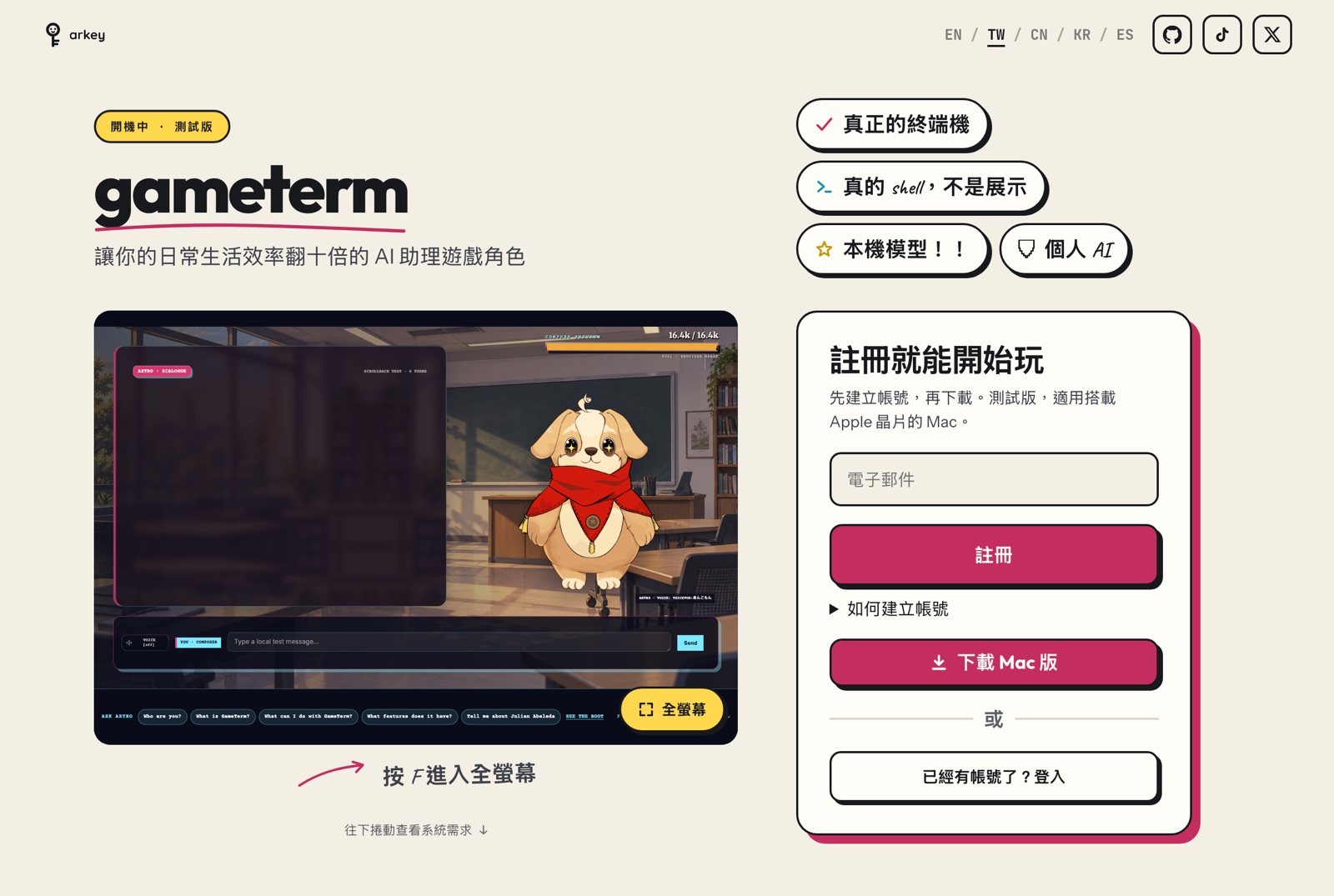
- EN is English.
- TW is Traditional Chinese.
- CN is Simplified Chinese.
- KR is Korean.
- ES is Spanish.
The website's language does not change GameTerm's language. Set each one on its own.
The next steps are for advanced users.