Advanced · Step 12 / 12
Use a stronger AI from another computer
Run the model on a second computer with a strong video card, and add it as a server in Arkey.
Your Mac runs a small model. A second computer with a strong video card can run a bigger one. GameTerm then sends its questions to that computer.
Julian, who makes GameTerm, does this. He runs a Qwen model on an Ubuntu computer with an NVIDIA RTX 5090.
What the second computer needs
- A video card with 16 GB or more of video memory. An NVIDIA RTX 5090 or an AMD Radeon RX 7900 XTX works well.
- The program llama-server from the llama.cpp project, with a model file.
- Your Mac and the second computer on the same network.
Start the model server
On the second computer, start llama-server so other computers can reach it. For example:
llama-server -m model.gguf --host 0.0.0.0 --port 8080 --slot-save-path ./slots -fa on --cache-type-k q8_0 --cache-type-v q8_0
--host 0.0.0.0 lets your Mac reach it. --slot-save-path lets it save each character's start. Without it, the first answer after a character switch is slow.
Find the second computer's network address. It looks like 192.0.2.10. Your address has different numbers.
Add the server in Arkey
Open Arkey. On Sign In, press Set up server.
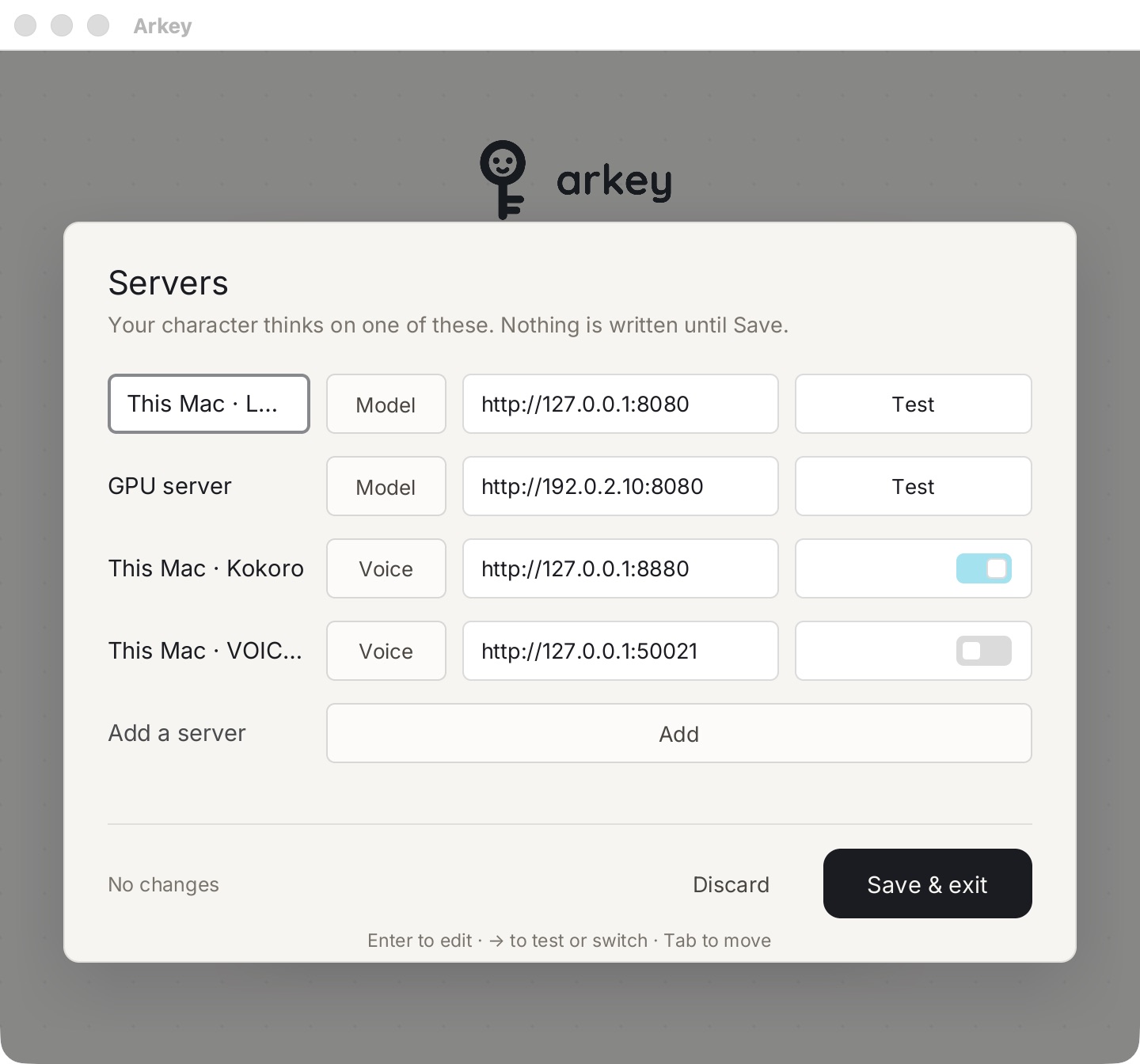
- Press Add.
- Type a name, for example GPU server.
- Leave the type on Model.
- Type the address with the port, for example http://192.0.2.10:8080.
- Press Test. It checks that the server answers.
- Press Save & exit. Nothing is written until you save.
Choose it when you sign in
On Sign In, open the server list. Choose your server. Sign in as usual.
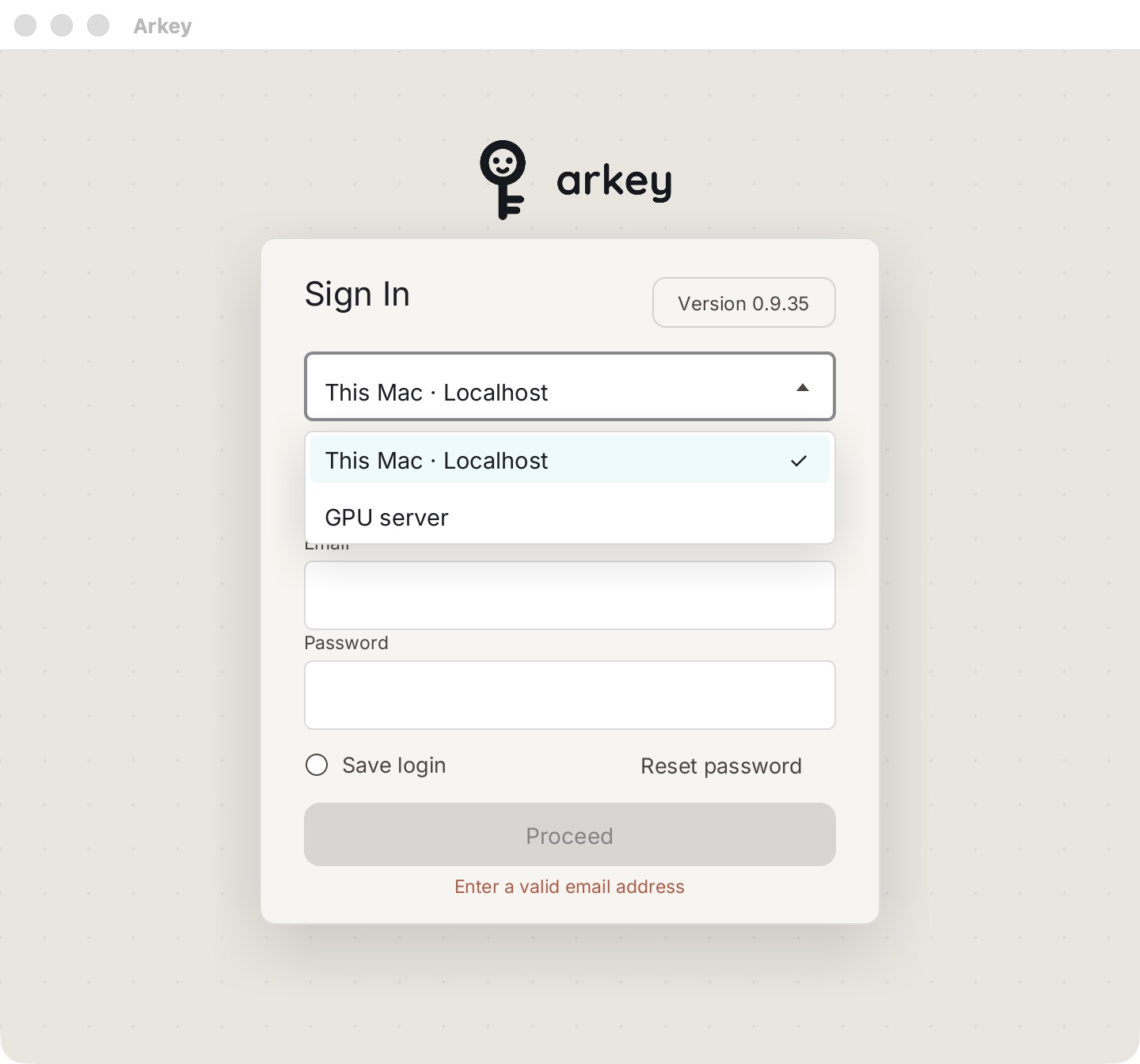
To go back to your Mac's own model, choose This Mac · Localhost.