Use GameTerm · Step 6 / 12
The / commands
Type / in the message box to see six commands. Each one changes how the conversation works.
This works in scene mode.
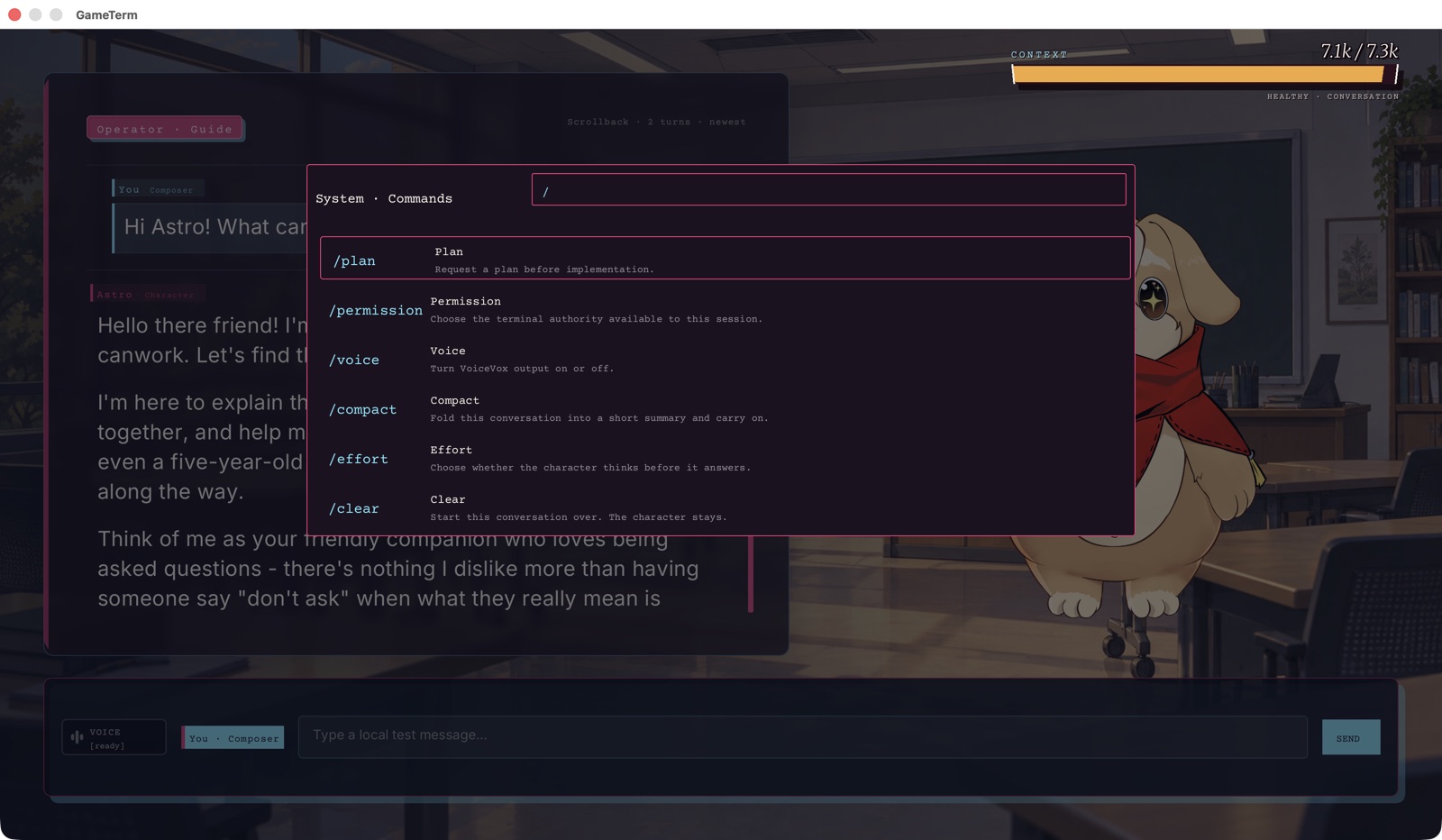
Click a command, or move to it and press Return.
/plan
Shows the character's plan. For a task with several steps, the character keeps a plan and ticks off each step. /plan shows that plan in the conversation. With no plan yet, it says: No plan yet. Ask for something that takes a few steps.
/permission
Choose the terminal authority available to this session. This decides what the character may do on your Mac without asking. Step 8 explains the three choices.
/voice
Chooses how the character speaks its replies. GameTerm asks you to pick one:
- Speech: the character speaks its replies out loud.
- Bleep: the character makes short game sounds instead of words.
- Off: the character is silent. You read the replies.
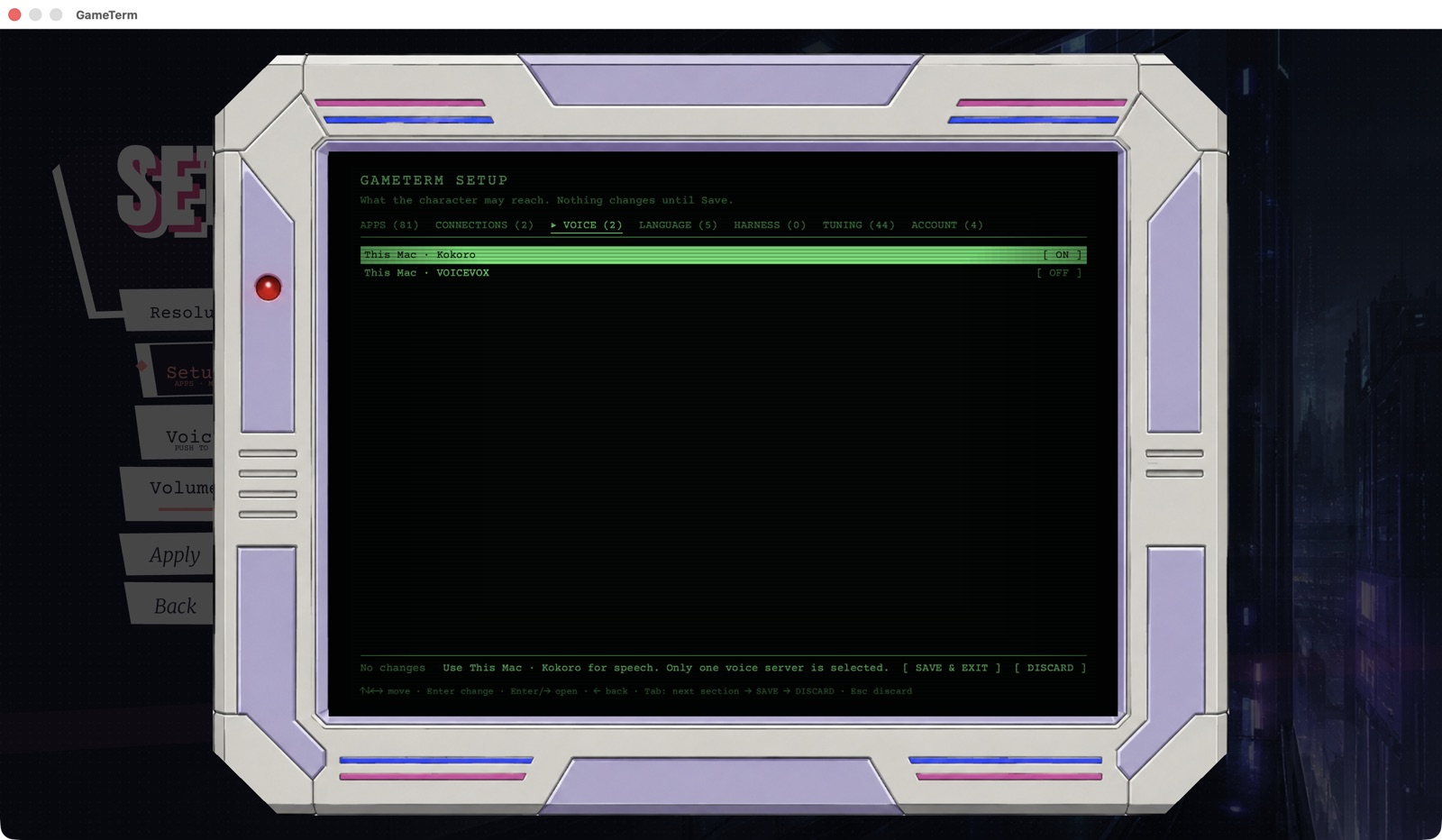
Which voice engine speaks is set in Setup, on the VOICE tab.
/compact
Fold this conversation into a short summary and carry on. Use it when the Context bar is nearly full. The character keeps a short summary and forgets the rest.
/effort
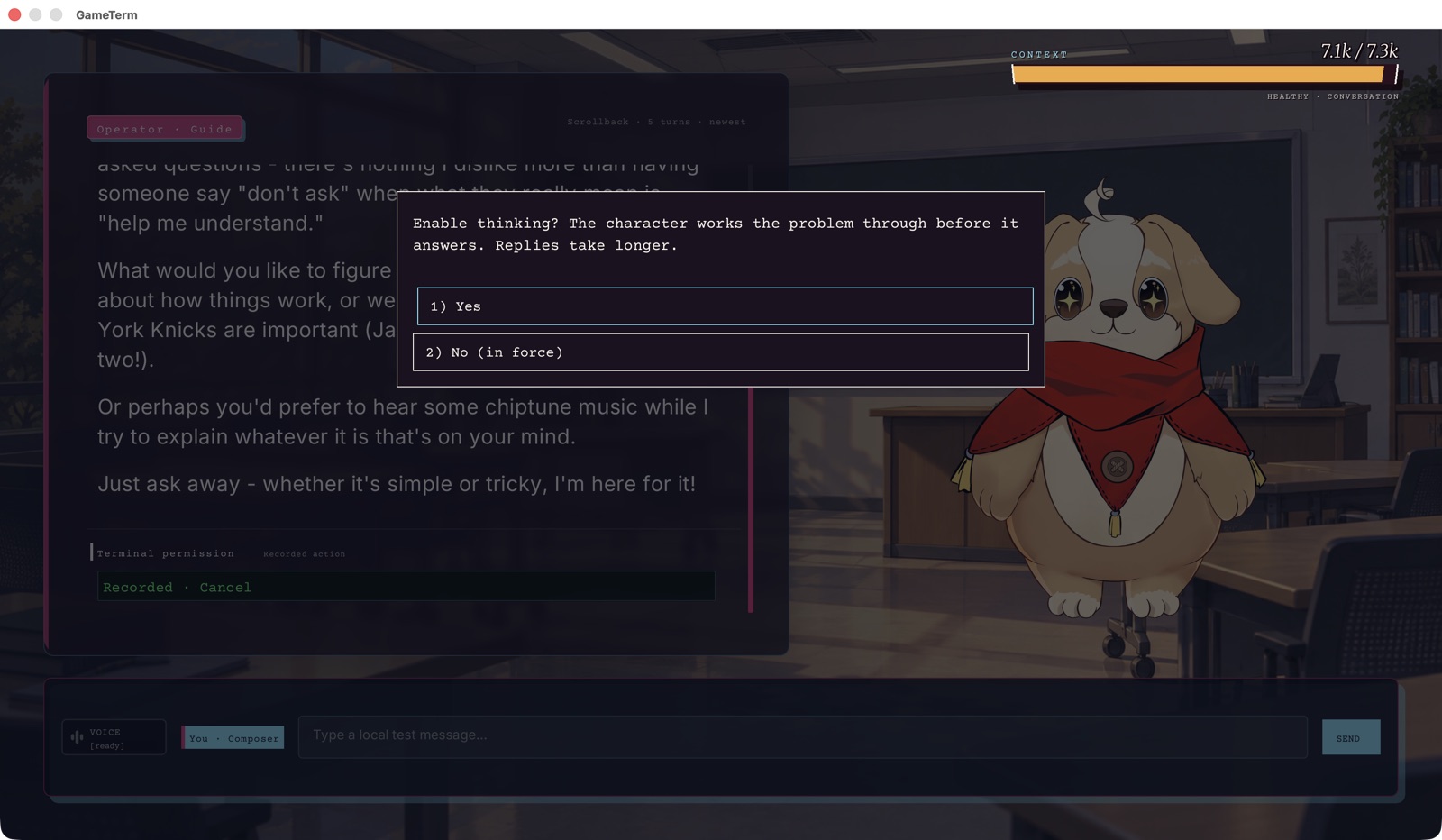
Choose whether the character thinks before it answers. GameTerm asks: Enable thinking? Choose Yes or No. With Yes, the character works the problem through before it answers. Replies take longer.
/clear
Start this conversation over. The character stays. The conversation is emptied. You keep the same character.
The next step shows how to pick a model.